


What is ExamSync ?
ExamSync is a simple tool that keeps exams perfectly on time, so teachers don’t have to.
It automatically calculates exam start and end times, handles reading time and reminders, and clearly presents multiple exams in one place — removing human error from real exam conditions.
By acting as a single source of truth during exams, even when the internet goes down or if emergency strikes, ExamSync reduces stress for invigilators and ensures every exam session runs smoothly.
” Best tool this exam season”
IBDP Co-ordinator, May 2026

Why ExamSync ?
Remove cognitive effort
Exam environments are stressful by nature. Invigilators are expected to supervise students, follow a range of highly specific protocols, and manage time — all at once. ExamSync does all of that for you.
Powerful ExamSync Features

Start Times
ExamSync calculates start times, end times, and reading periods automatically, eliminating manual errors.

Multiple Concurrent Exams
Supports up to six different papers on one clear display.

Countdowns & Reminders
Key times in countdowns are highlighted for announcement. (Can also be disabled.)

Pre-Loaded Exam Setups
Thousands of Exam papers from the world’s leading exam boards (national and international) pre-loaded for a one-click exam setup.

Easy Access Arrangements
Click-and-go approach to extra time and rest breaks. Great for SEND departments, mock exams and internal assessments.

Reduced Cognitive Load
By removing the need to think about time, ExamSync allows invigilators to focus fully on supervision.

Mutiple Displays
‘Broadcast’ feature allows multiple devices to display the same exam countdown. (Designed for larger exam halls.)

Emergency Support
Built-in features to pause if emergency strikes, even if the internet goes down. Automatically logs incidents on admin dashboard.

School-Wide Access
Reuse Access Codes across the school on any device, on any browser. The more access codes you have, the more rooms in which you can hold exams.

Easy to Use
Designed to be intuitive and fast to use, even for first-time users via guided setup.

Visual Clarity
Large text and distraction-free layouts stay easy to read from anywhere in the room.

Fully Customisable
Edit, tweak and adjust any settings from the admin dashboard. Great for mock exams.
How It Works
Start running perfectly timed exams in just a few steps.

1. Set the exam
Enter exam start time, duration, and optional reading time.

2. Start the timer
ExamSync automatically calculates milestones and reminders.

3. Follow the countdown
A clear display shows the remaining time for invigilators and students.
See ExamSync in Action
A clear and reliable exam timing system designed for real exam environments.
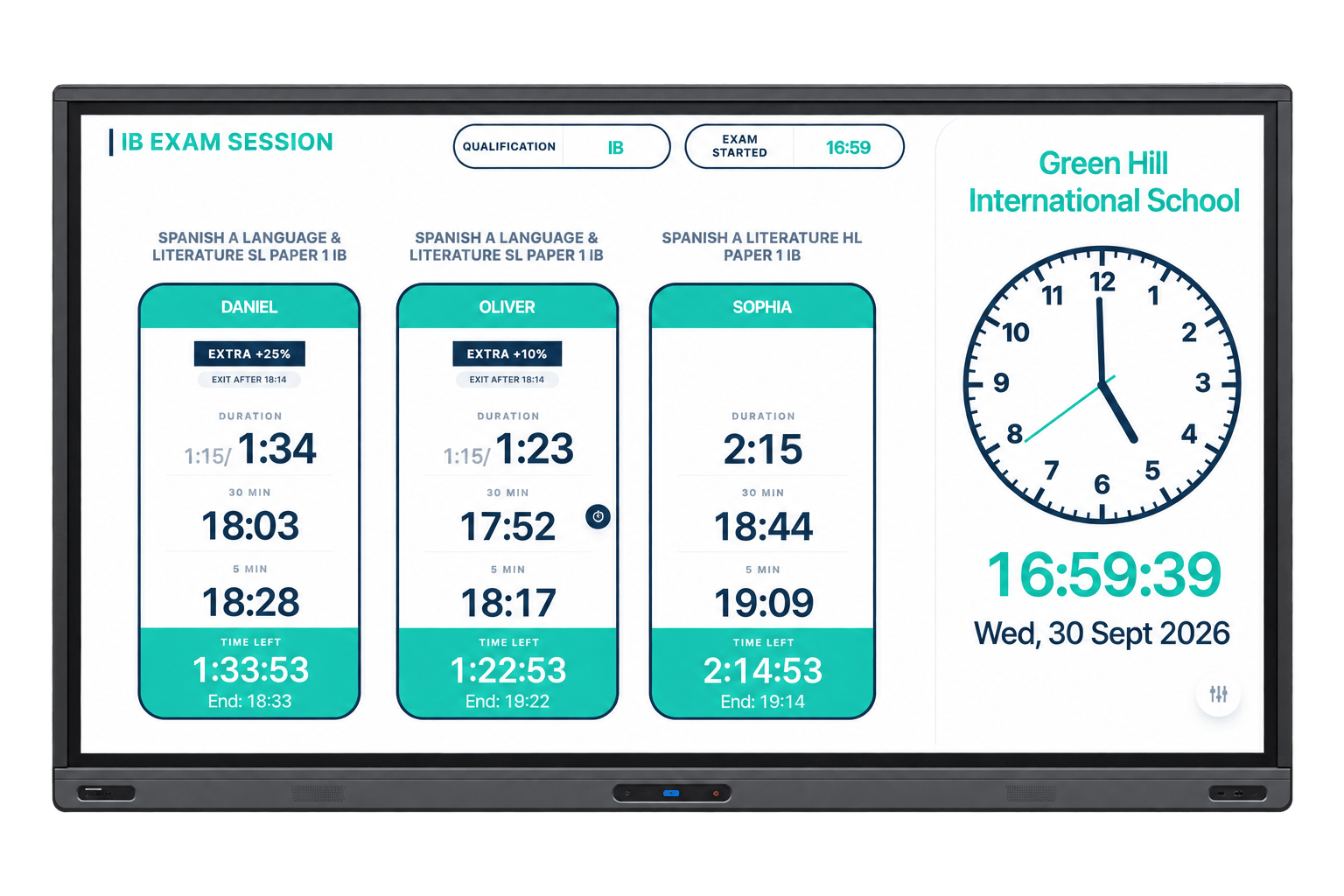
Live Timer
A clear countdown visible to everyone in the room.
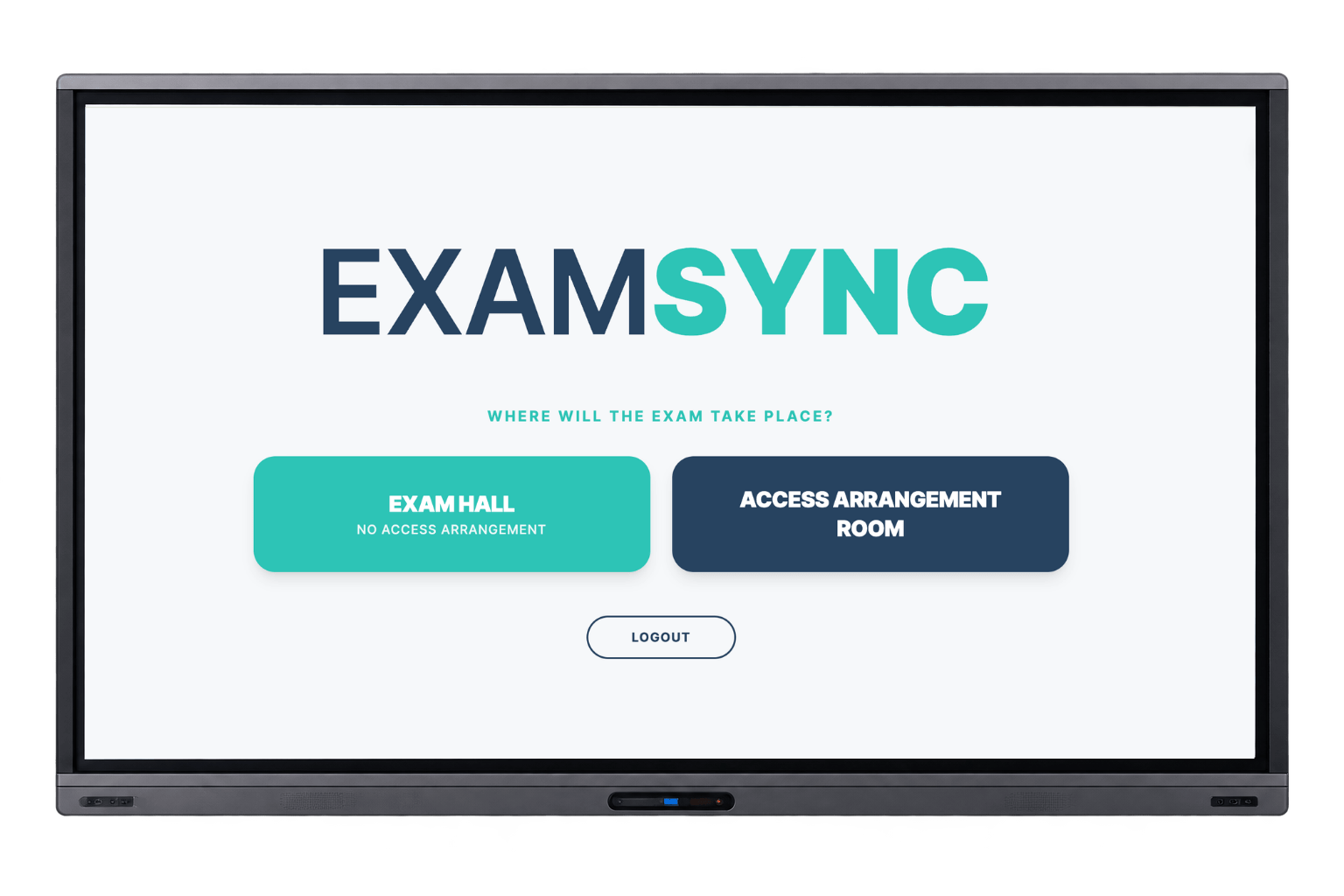
Easy-to-use interface
Quick and simple access.
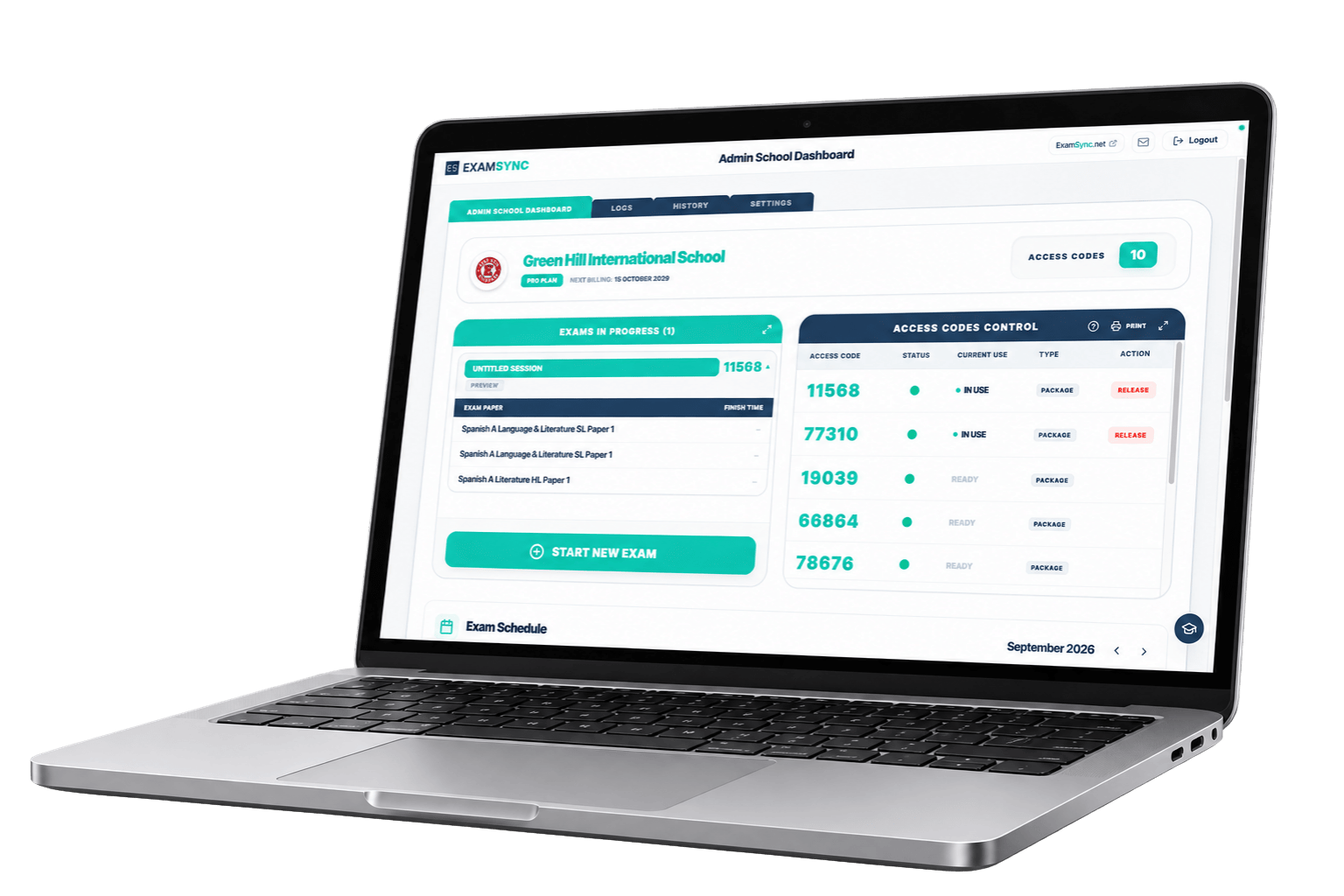
Admin Dashboard
Manage exam schedules, session history and settings all in one place.